For schools
AI help for every classroom, with children kept safe.
SafeClass gives teachers AI help to plan and mark, and gives students AI tutors that their teacher controls. Every message a student sends is checked first, and if a child may need help, a teacher and the school's safeguarding lead are told at once.
- Teachers stay in control
- Every student message checked
- Students' names never sent to the AI
What SafeClass does
One app for the whole school, with a different view for teachers, students, parents and school leaders.
Rooms teachers control
A teacher opens a Room for a class and chooses which AI tools its students can use, such as a tutor that guides them step by step instead of handing out answers. Pause it at the end of the lesson.
Planning in minutes
Lesson plans, schemes of work, worksheets, quizzes, rubrics, parent messages and report comments, drafted for the teacher to check and edit, in English, Kiswahili or French.
Marking help
Students hand in work in the app. The AI suggests a level for each part of the rubric and draft feedback; the teacher confirms every mark before a student sees it.
Mission Control and live lessons
See every student in a Room as they work, ask the class a poll or quiz question, and show the answers on the projector with no names.
Behaviour and support plans
Log positive behaviour and concerns in a few taps, see patterns over weeks, and keep support plans that the SEN coordinator approves.
Your curriculum
Kenya's CBC grades and learning areas are built in, and a school can add its own curriculum, such as a Cambridge syllabus it teaches, private to that school.
Safety comes first
Checked before anything else
Every student message, piece of work and live answer is checked for harmful content, in English and Kiswahili, with stricter checks for younger children. If the check cannot run, the message does not go through.
A child who may need help reaches a person
A message that suggests a child may be at risk is never sent to the AI. The child gets a calm, supportive reply with a helpline, and the teacher and safeguarding lead get an alert. If nobody responds within 15 minutes, it moves up to the next person.
Private by design
Students' names and contact details are removed before anything reaches the AI. Each school's data is kept apart, and every time staff open a transcript or a support plan, it is recorded.

Made for children, not offices
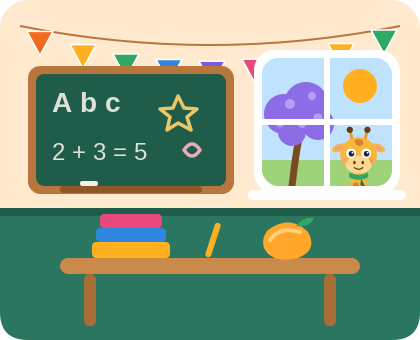
Students sign in with a class code, their name and a PIN: no email needed. They are greeted by Twiga, the SafeClass giraffe, who sits beside the tutor's replies. Bright, simple screens with big buttons work on the phones and shared computers schools already have.
Parents sign up with a code from the school and see their children's classes. Progress summaries for families are planned.
Pricing for your school
SafeClass is set up for each school, so pricing is agreed with each school: it depends on how many students and teachers will use it and which curriculum you teach. Tell us about your school and we will arrange a demo and send you a quote.
Or email hello@safehouse.co.ke. Already using SafeClass? Sign in here.
Questions
Who sets the school up?
We do, with you. We create your school, its first administrator and its classes, and help you import your students and invite your teachers. Students get printed sign-in slips with their class code and PIN.
Does the AI see students' names or what they say about themselves?
Names, phone numbers and email addresses are removed before anything is sent to the AI. A message that suggests a child may be at risk is never sent to the AI at all; it goes to a person instead.
Will students just get the answers?
No. The tutor is built to guide students with questions and hints, and a teacher decides which tools each class can use and when a Room is open.
Which curriculum does it follow?
Kenya's CBC grades and learning areas are built in. Schools that teach another curriculum, such as Cambridge IGCSE or A Level, can import their own copy, which only their school sees.
What devices does it need?
Any modern phone, tablet or computer with a web browser and an internet connection. It can be added to the home screen like an app; nothing needs to be downloaded from an app store.